Prior to DGAH 110, my experience in Computer-Aided Design (CAD) or 3D Modeling was limited to Microsoft Paint drawings. That is to say, getting used to Autodesk Fusion360 was a challenge. Thankfully, Carleton’s Makerpedia hosts a series of helpful tutorials that I was able to use to get started.
With my newfound knowledge, I had to decide what I wanted to model. My inspiration came in the form of a mug my sister gave me before I left for college. With round shapes and a pretty smooth surface, the mug seemed like an achievable goal for my first Fusion360 project. The images below show the product that resulted from my efforts:

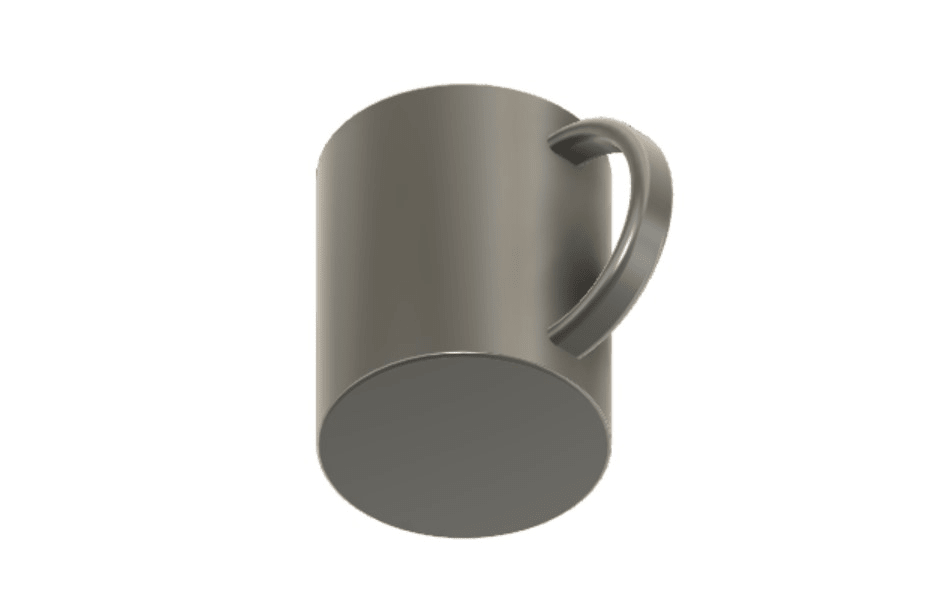

I’m happy with the way it came out! The main body was not super challenging and the Basic Tutorials on Makerpedia were more than sufficient to guide me. The real roadblock came when I tried to connect the handle to the body. How could I get the handle to join with the rounded face of the mug?
I turned to YouTube for help. I found a tutorial from thehardwareguy that demonstrates some methods for working with curved surfaces that proved super useful. The key to my project: creating an offset plane in the Construct tab, extending the handle revolution into the mug, and finally using the Split tool to snip off the excess.
My model didn’t turn out exactly as I originally envisioned (the real thing has a picture of a dog and some lovely lines on it), but I know that with more practice, I’ll be able to do more and more. Fusion360 seems like a super powerful tool, so I look forward to designing new projects and exploring its features. What’s more, CAD software as a whole is super unique in what it can provide to learners and educators. I can imagine a class that might recreate historical tools in such software to gain a better understanding of how they worked or a research team digitally reconstructing long-lost artifacts in an attempt to analyze them in new, exciting ways.
Fusion360 is a complicated software with lots to learn but promises much in the ways of capability.
– Jack
This is such a clean design! I ultimately didn’t figure out how to work well with curved surfaces and kind of sent it with my design, but I think now I’ll look into what you decided to do. I’m also glad you seem eager to learn more about Fusion’s capabilities, and I couldn’t agree more; this seems like such a powerful and useful tool, and I also cannot wait to learn more about it!
You definitely nailed the proportions. I feel like it would have been easy to make it look off balanced. I’m also curious how you created the handle.
This mug is a great example of successfully accomplishing a task I was unable to accomplish. The water bottle I modeled also has a handle (this one on the very top of the bottle) and for the life of me, I could not figure out how to even create the shape, let alone attach it to the main structure and snip away excess material. I really admire your problem-solving process of turning to the internet to figure out the problem. The answers to everything lie out there and I decided to forego seeking help on my model, but I wish I’d taken the steps you had to try to make my piece more whole. Looking forward to what you create next time around!
I’m blown away at your use of the offset plane tool—I also had no idea Carleton’s MakerSpace hosted Fusion360 tutorials. I think you absolutely nailed the shape of the mug, it’s instantly recognizable! I also couldn’t figure out how to add surface textures to my modeling project, so I share your excitement in practicing further with the suite of tools available. Excellent job Jack!