Beeswarm Plot
The beeswarm plot is a good visual when you have a categorical variables that you want to compare over time, or with other sub-categorical variables. Beeswarms are good visual for exploratory analysis, to gain an understanding of your initial dataset. This visual can communicate valuable information in a simple and clean manner; Which can reach a large audiences.
In digital humanities, beeswarms would be helpful to showcase how different groups have changed over time, or a period of time. It would also be helpful for initial analysis of datasets.
Step-by-Step Tutorial
Step 1: Data Wrangling: for this visual, a numeric independent variable is needed for the x-axis. In addition, a categorical variable for the y-axis.
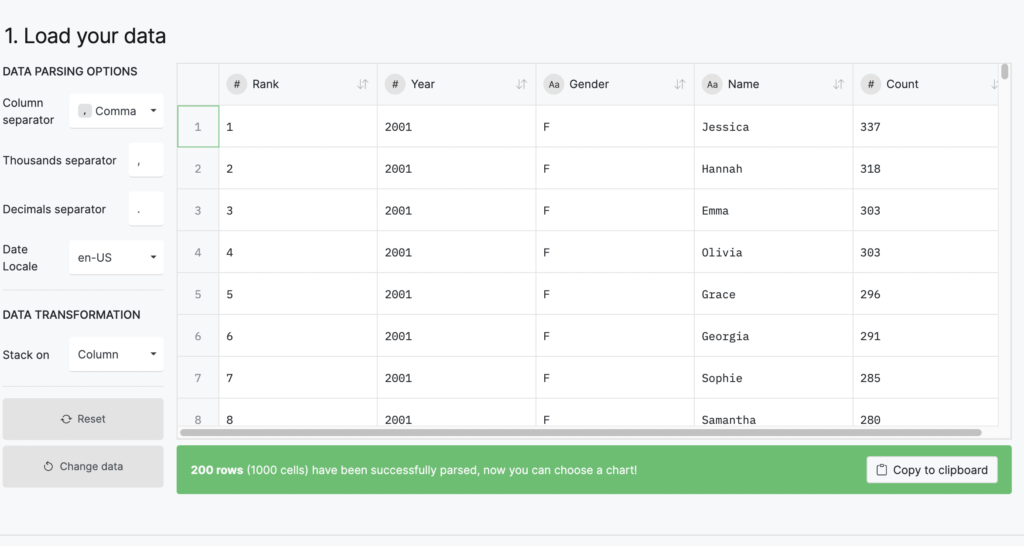
Step 2: Upload you data
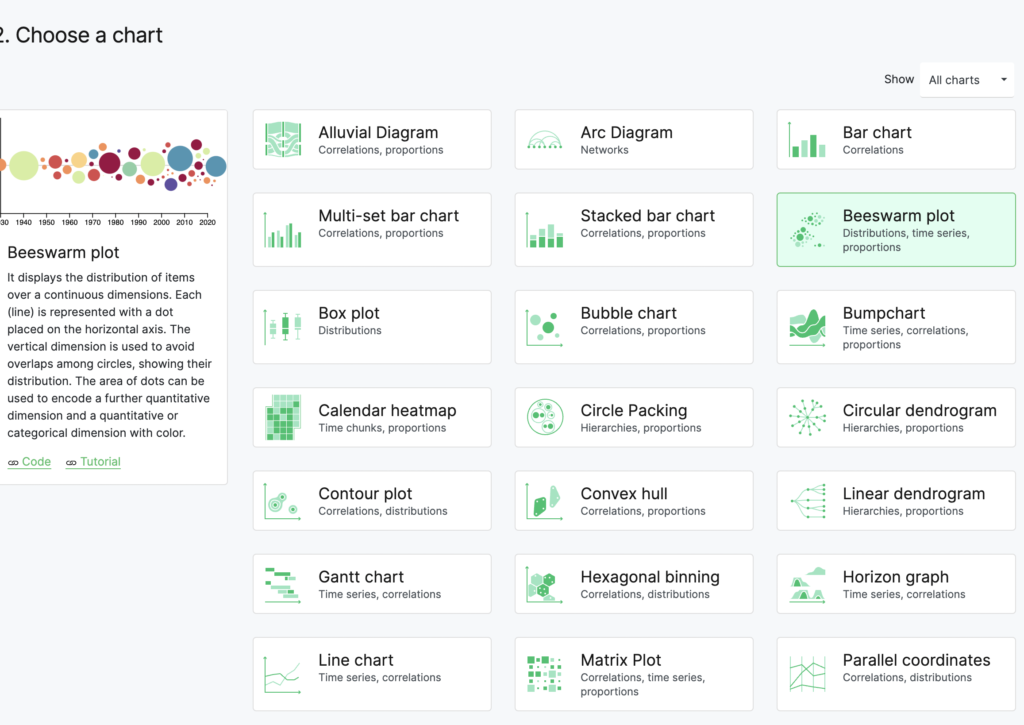
Step 3: Choose beeswarm plot
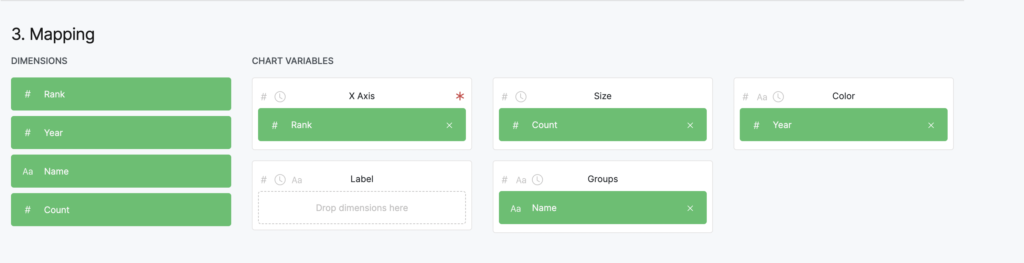
Step 4: Choose your Variables:
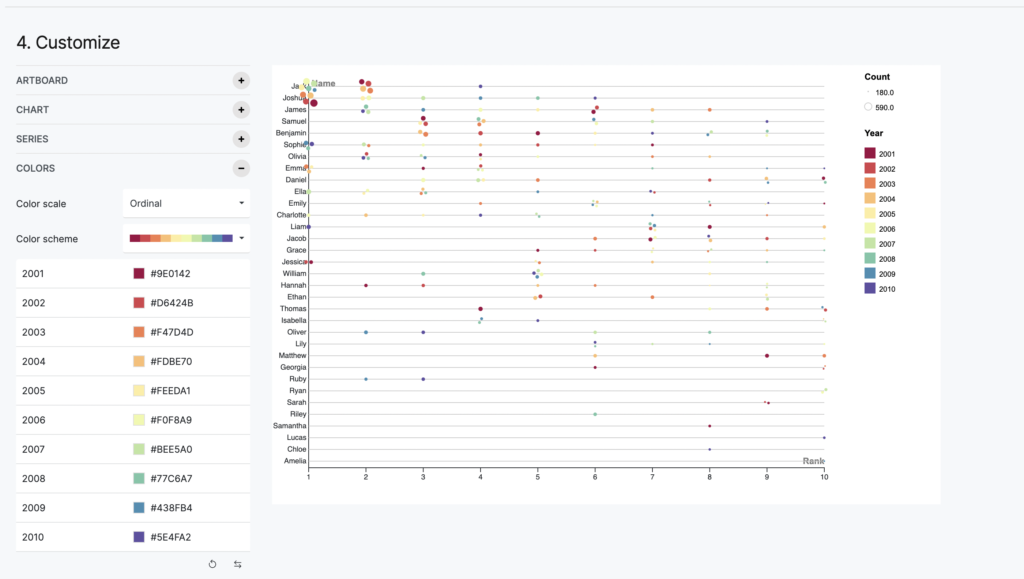
x-axis: Here i choose rank since that is what I want my viewer to know what names ranked thought out time.
Group: Here is the y-axis, a categorical variable. In this case, it is names.
size: Here i choose count, this variable is usually a count, or aggregate of a total sum in each group
Color: A good tool to add additional information, in this case Year
label: This is an handy tool to display other informations within your data set, or label categories
Step 5: Create a clean graph
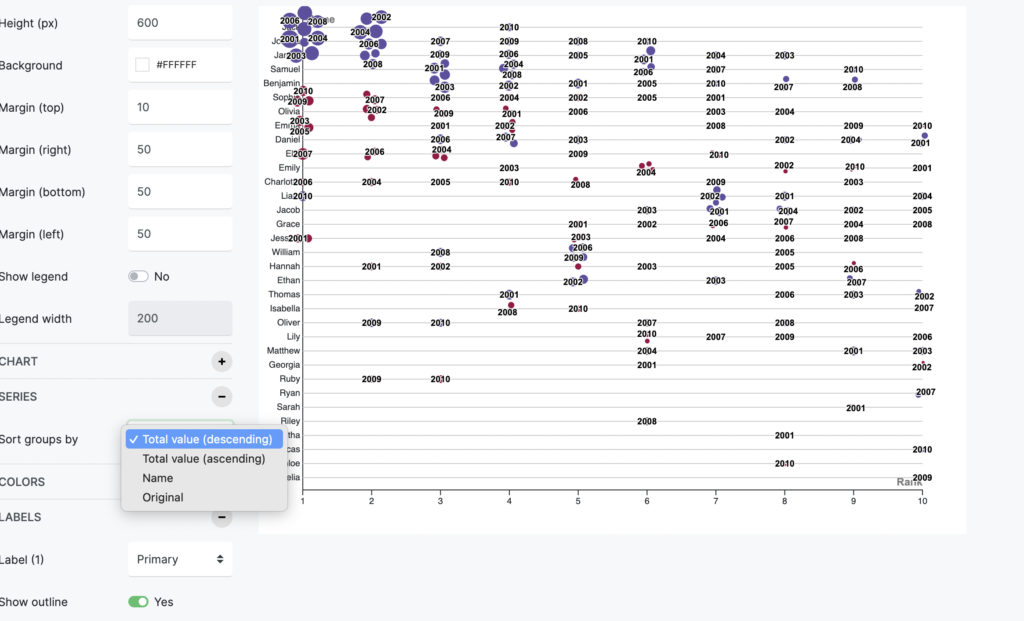
In the series: you can choose how you want to organizes your “size” feature from highest to lowest or vise versa.
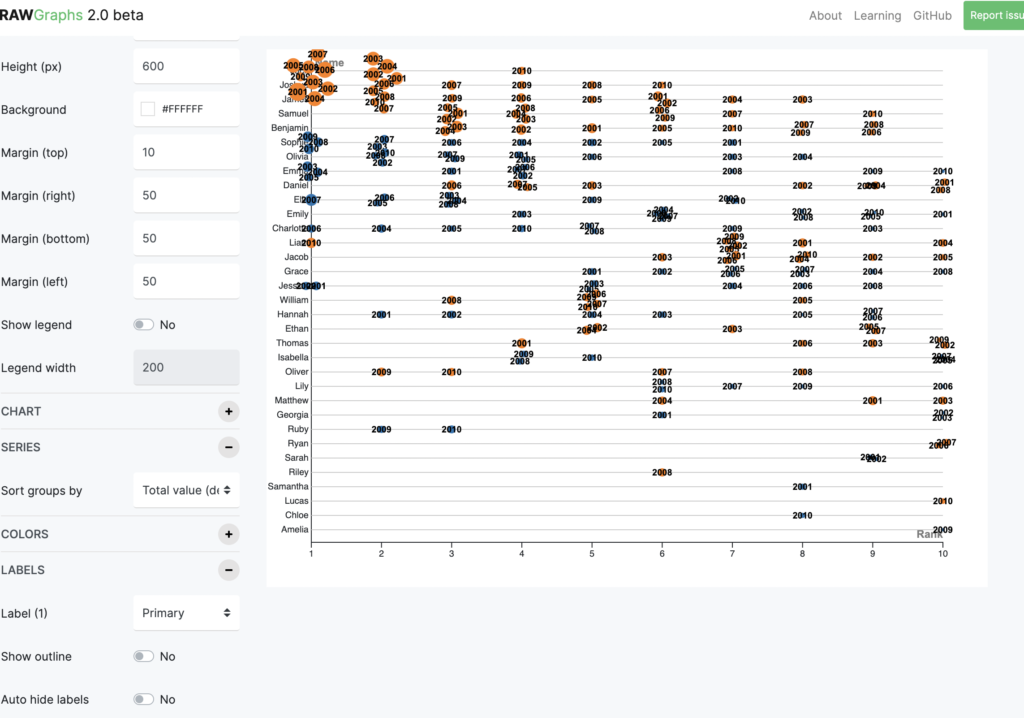
In the label: this is what it looks like without show outline and auto hide label on yes. The graph is bit harder to see and the year is bit overwhelming
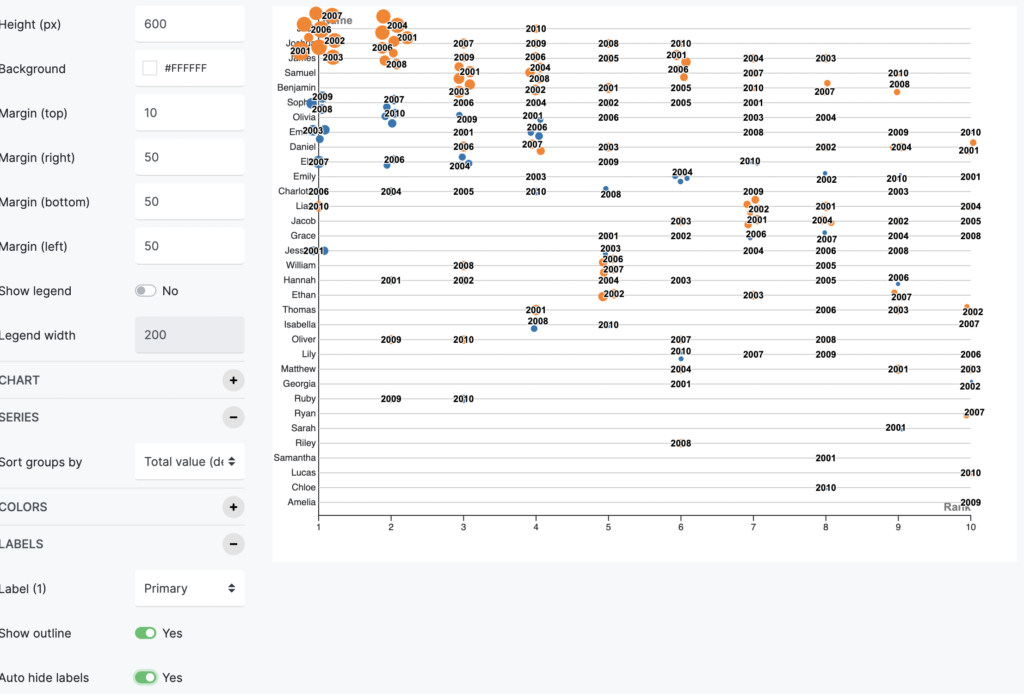
Here is what it looks like once, you turn on the show outline and auto hide label on yes.The graph is a bit easier to read.
Final Graph
In the final graph I decided to color code the year, instead of showing the label. I felt it will create a cleaner look.