
I found that I had a difficult time maneuvering through the software because I had to get a hang of what each control does. I feel like I am still at a point where my process is very slow and choppy because I have to stop and think about 1) the change I want to make, 2) how I want that change to show up on the model, 3) the tools to make that change, and then 4) actually implement the change. I am hoping that once I use the program more, I will get more comfortable with it.
One element that gave me a particularly hard time was figuring out how to delete my mistakes. I found myself constantly pressing the undo arrow. This was particularly unhelpful when I found a part of my model didn’t look how I wanted it to but that I had made 5 steps ago. I think this just made me a little impatient with the process.
I felt very uncomfortable and new to the software and the tools, so I felt like I had to make some compromises. I felt the most comfortable using the circle sketch and elevate tools, which is at the basis of my model. I wanted to make some parts of the pawn extend at a slant, but most of the things I tried didn’t help much. Instead, I decided to use a tool that created curves out of the sharp edges on shapes. In the future I want to learn how to make them extend at a slant though.
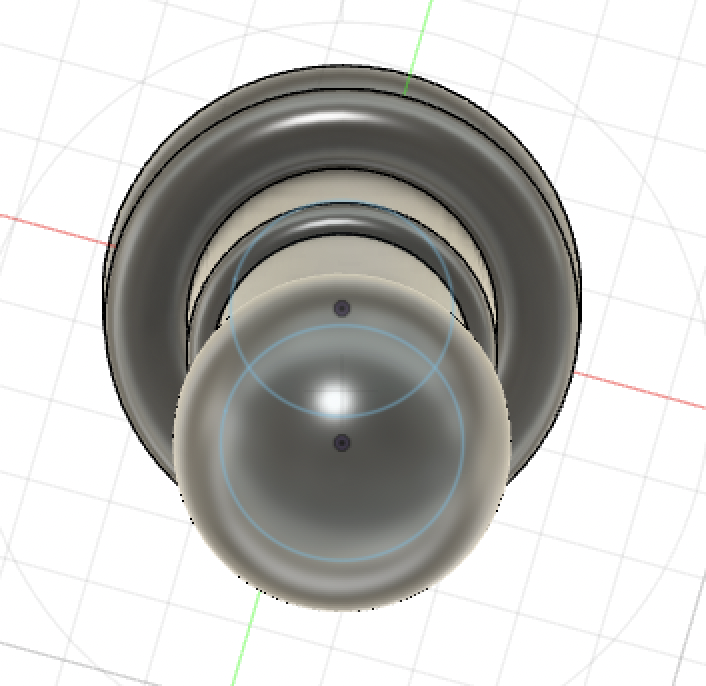
Although I didn’t use this tool in my model, I played around with the feature that allows you to create a shape that revolves around an axis. I still want to play around with the angle of rotation, etc. but I want to use that as a tool going forward. It seems helpful for creating a repeated, round (but not perfect cylinder) shape. I think I could have also figured out a way to create a slant with this feature, but I need to practice a little bit more.
I think you did a great job with your chess pawn! I like how you used the fillet features to give the chess pawn a softer edge definitely helps to make it look like a real chess piece. I agree that it does take time and practice to get what you picture in your head to actually implement it. I think as we use Fusion 360 more we will also learn niftier tools that will make creating objects easier.