
Intro: 3D Basics
In the spirit of learning by making and diving in head first, we are starting with some relatively easy 3D modeling. This course's collective projects in the past have revolved around Carleton's built environment and building histories, and fabricating...
WordPress 101 — is blogging still a thing?
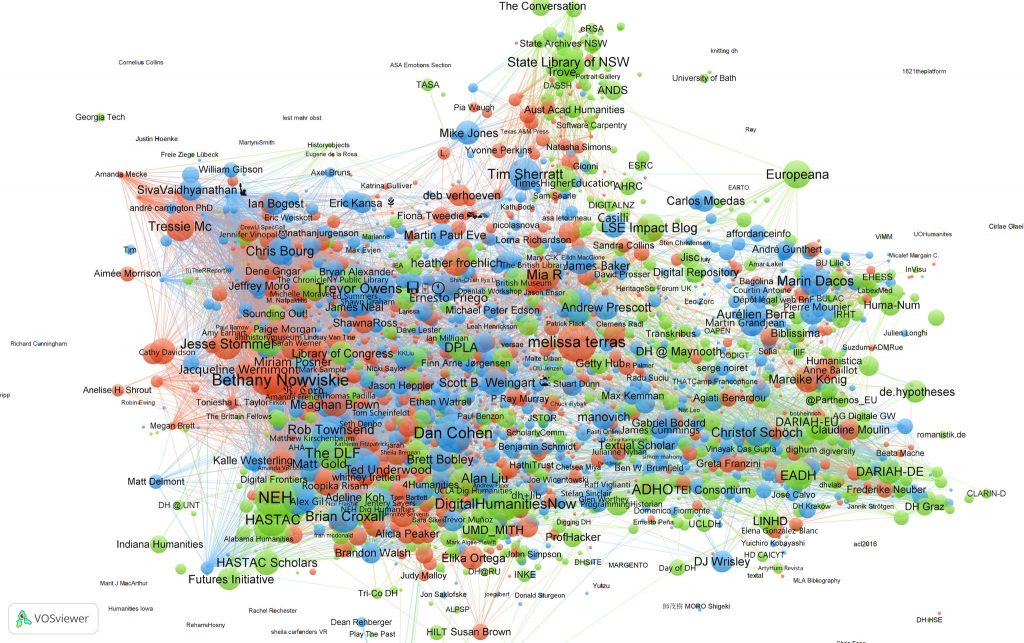
Digital Humanities as Community, or Making Relationships
Debates over the definition of the Digital Humanities are by this point very clichéd , to the point that many people have begun arguing that we stop worrying about it altogether. There ...
Analyzing DH Projects
Today we are going to dive into what Burdick et al. call "The Basic Unit" of Digital Humanities, the project . We will examine the various component parts and learn how to analyze them effectively.
One of the most common reactions to seeing finished...
Web Development Fundamentals
HTML/CSS 101
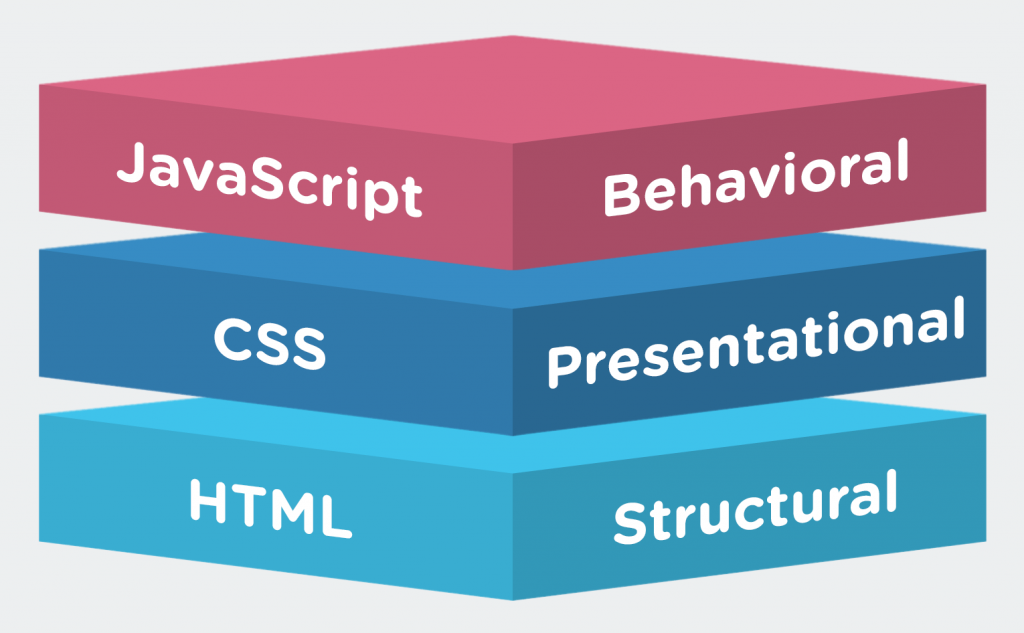
HTML, CSS, and JavaScript are the bedrock foundations on which the world wide web (and therefore most digital humanities projects) are based.
HTML provides the basic structural markup that tells your browser what to do...
Humanities Data: Data Structures, Metadata, Clean, Tidy, and Smart Data
The Database Back End
In our continuing quest to explore what goes on “under the hood” of digital humanities projects, we are moving from the front-end client-side user experience to the database “back end” on the server side, where all the data st...

Text Analysis and Network Analysis
Computer-assisted text analysis is one of the oldest forms of digital humanities research, going back to the origins of “humanities computing ” in the 1940s. Computers are well suited to data mining large bodies of texts, and with the...
Data Visualization
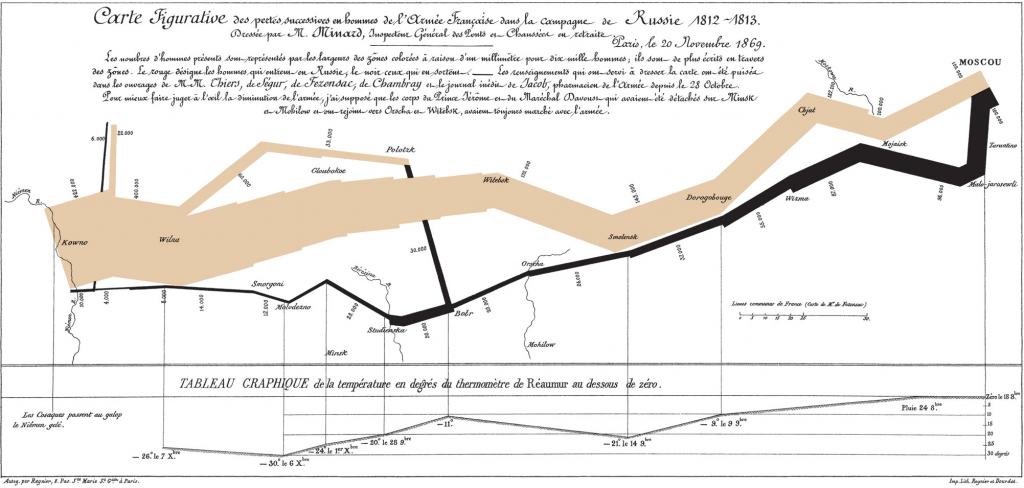
This week we are going to explore the basic principles, and some concrete examples, of data visualization. You might think that data viz is something only scientists and quantitative social scientists are allowed to do, but there are an increasing...
Virtual Humanities: Immersive Environments and 3D Simulation
Immersive environments are one of the newest areas of DH experimentation. 3D simulation, Virtual Reality and Augmented Reality were until recently only accessible with high end hardware and produced end products that were so large they were hard to deliver...

Analog to Digital and Back
3D Printing and Fabrication
One of the biggest advances in recent years has been the democratization of 3D fabrication through consumer grade technologies like 3D printers, CNC routers and mills, and laser cutters. These tools allow digital 3D models...

Spatial Humanities: Mapping 101
Spatial Humanities
This week we will be exploring the spatial humanities — a vibrant and increasingly popular area of digital humanities research. Humanities scholarship is currently undergoing a “spatial turn” akin to the q...

Web Mapping 101
The past decade has witnessed a proliferation of web mapping tools and platforms. These tools have long allowed the simple display of and basic interactions with spatially referenced data, but until recently, if you wanted to do any sort...
Cleaning Messy Data and Timeline Visualization
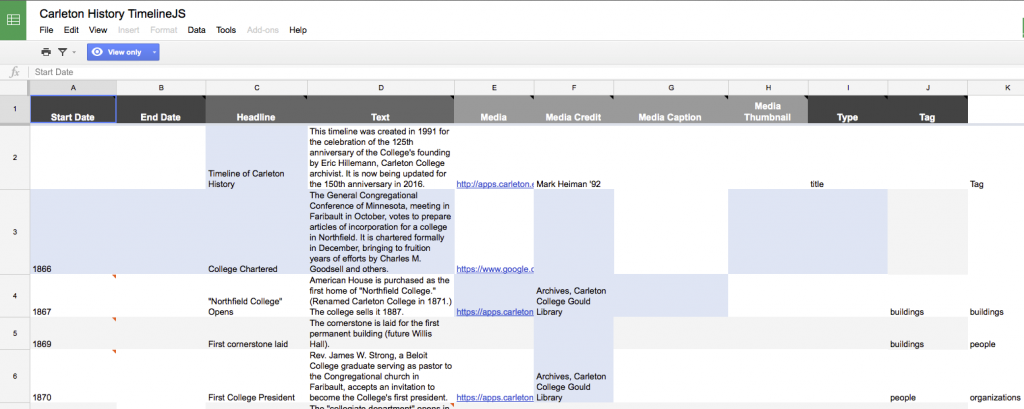
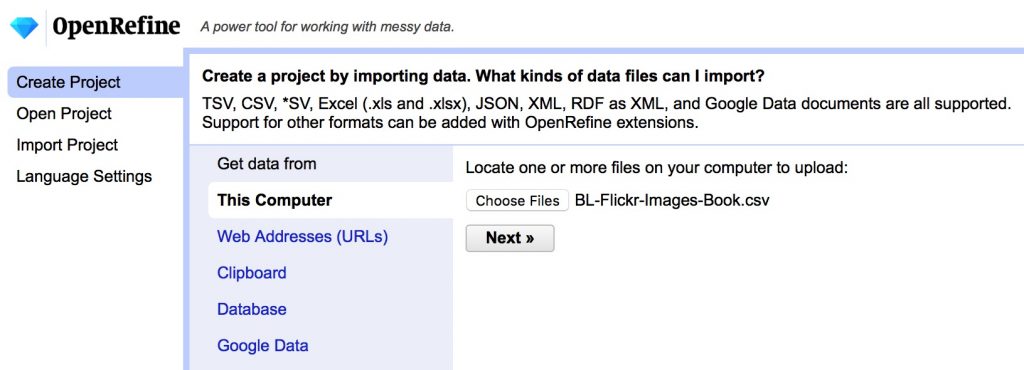
We've talked a lot in this course about messy data and the different benefits of tidy, clean, smart, big, etc. data. As you begin working on your final projects, you'll no doubt find or create some messy data that will need cleaning. Today, we'll practice...
Final Project Work Session
First, congrats on completing your midterm mini-projects! They look great so far and I’ll be giving you detailed feedback ASAP, posted in Moodle.
Second, well done on the final project proposals! I have commented on some of your group posts on t...
Tutorial Assignment
Assignment Tutorial Blog Post
For this assignment, create a step-by-step tutorial as a blog post demonstrating a particular technique, tool, or other helpful how-to discovery you’ve made over the past several weeks in this course.
Pick a DH t...
Tutorial Demo and Final Project
Agenda:
Final Project Work in breakouts to continue work and start Presentation
Final Project — Data Vizualization (due Sunday)
Your final projects should contain at least one interactive data vizualization or interface to your data. T...

I thought the process of exploring various features and functions in Fusion 360 was challenging, but a fun kind of challenging. It always felt good to wonder how to create or edit a specific aspect of my model, and then spend a few minutes exploring, thinking and finding the specific tool I needed. While exploring the program, I came across a lot of different features and capabilities that I ultimately didn’t need, but looked very cool, yet complex.
Getting oriented on the manipulation controls was tough, I found that the system works best if you use an external mouse (insetad of the trackpad), it was mostly uphill from there. I really liked the sketch tool, it made designing a much more simple process, with a blueprint you can use as a template to test tools on. The only issue I had was getting the browser tool to show up, which is the easiest way to flip between sketches. I found I had to use file > restore default view in order to make it show up.
Hello
Hello