For this tutorial, I wanted to show how you can creating a rotating video of your 3D model in ReCap Photo and put it within your WordPress webpage. The process is not complicated but there are a few notes along the way.
Step 1: Once you have your model finished and cleaned up, go to the export option on the left pane and select export video.
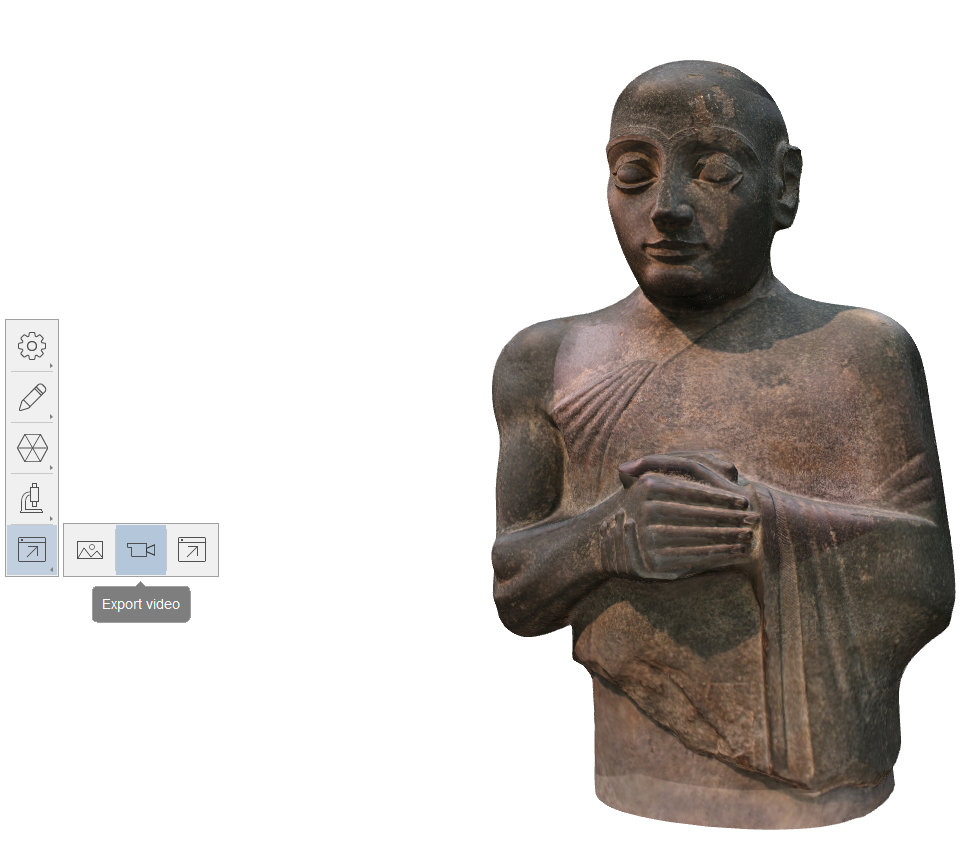
Step 2: ReCap Photo has these two nice features the first one being that it allows you to move the center point of which the camera will rotate around your 3D model. To edit this, simply click and drag on of the three vectors, each of which correspond to a direction, and move it to your liking of your model. The second nice feature is a blue ring that surrounds your model. This displays the path that the video will take of your model and you can adjust this by clicking and dragging on the ring and moving it to your liking. I recommend making these changes and then using the preview button to see it the viewing of your model is how you want it.
Step 3: Now once your have your video to your liking there are a couple things to note about exporting the video. First, WordPress has a limit to the size that a file can be so making your video closer to 10 seconds will be good enough to fit onto your webpage. Second, ReCap Photo does not have an file extension for videos that is compatible with WordPress but I downloaded it as an AVI file and converted to an MP4 file.
Step 4: Here’s a link to a helpful file converter that I used for my project, I liked this webpage because you don’t need to download any software on to your computer. It’s also very simple to use, just click on the select file option and upload your AVI file. Once it finishes converting, download the new MP4 file.
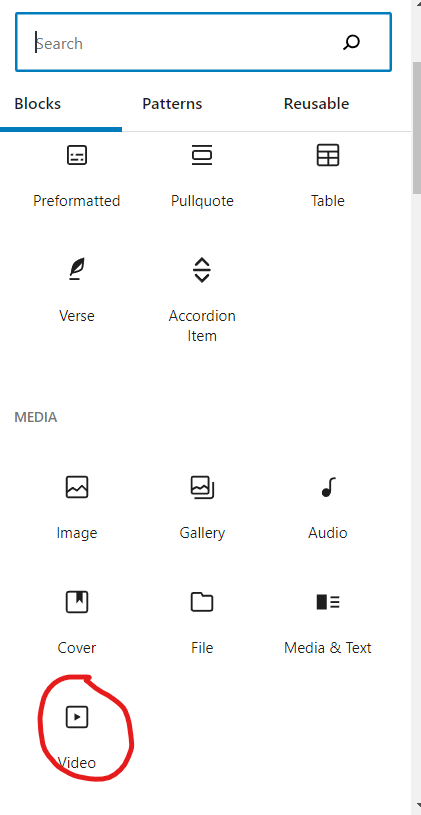
Step 5: Once you have your file, you can now upload it onto your webpage. On your WordPress webpage, click the add a new block and select, “Browse All” and at the bottom of the pane, you’ll find a video block. Once you add your MP4 file, you’ll be able to preview your 3D model on your webpage. WordPress has some other features you can play around with for your video.
Here’s another link to see the documentation on videos in ReCap Photo for further help or here is a nice summary of showcasing your work in ReCap Photo.
Wow! This gave me some really good insight to such a cool feature that I didn’t know was available on photogrammetry. I think this tutorial would come in really handy with Digital Humanities because it adds even more dimension to a 3d model. I think you also did a really great job giving good details that make your instructions easy to follow.